Nightbird Engine
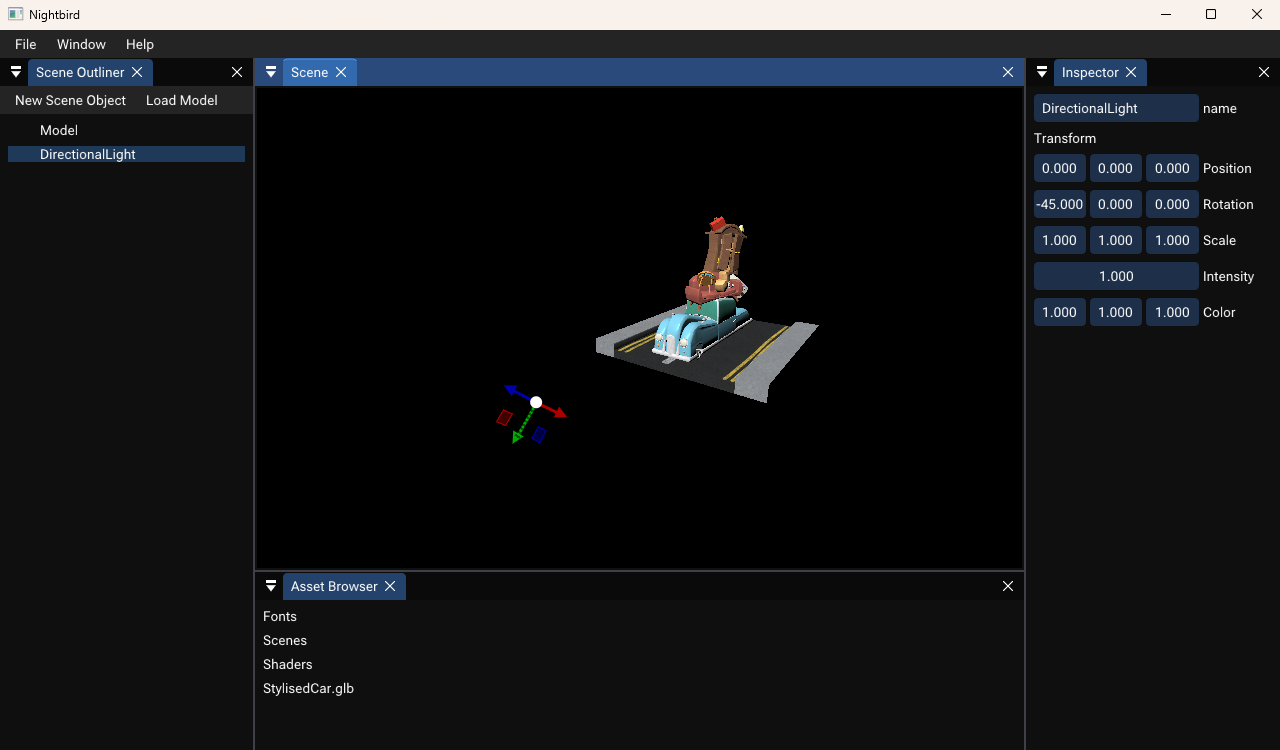
Nightbird is my cross-platform C++ game engine with Vulkan rendering on Windows and Linux, alongside Wii U and 3DS support.

Available on

After building an initial OpenGL renderer, I migrated to Vulkan to gain a deeper understanding of modern graphics pipelines. OpenGL abstracts a lot of what is really going on, and Vulkan felt like the natural progression as the modern open standard. I later abstracted platform-specifics behind backend interfaces allowing for Wii U and 3DS support. I wanted to challenge myself to get 3D rendering working on platforms significantly more constrained in processing and memory than modern PCs, so I chose my childhood consoles which have good homebrew support through devkitPro.
On the desktop, a user's project can be compiled as a shared library loaded by the editor at runtime, or as a standalone executable. For Wii U and 3DS, the project is always compiled statically.
Reflection
Initially the editor used RTTR, an existing C++ reflection library, but it was unsuitable for the app since it relied on RTTI. This was especially the case on platforms like the Nintendo 3DS. Rather than maintain two separate reflection systems, I replaced RTTR entirely with a custom unified system that handles both field editing in the editor and binary scene loading in the app. This system handles type registration, field inspection via memory offsets, FNV hash-based type lookup, and runtime object instantiation.
Editor
The Nightbird Editor uses Dear ImGui for its UI with the following windows:
- Scene View: Render and traverse the scene from the perspective of the editor camera.
- App View: Render the scene from the perspective of the scene's active camera.
- Scene Outliner: Displays the objects in the scene in a reparentable hierarchy.
- Inspector: Displays editable serialised fields of the selected object or asset.
- Asset Browser: Browse folders and files within the Assets folder. Double-click on a scene to open it.
Asset Cooking
Nightbird uses a two-stage pipeline for all assets. Scenes are saved by the editor as .ntscene files (Nightbird Text, TOML), then cooked into .nbscene (Nightbird Binary) for runtime. Other assets are imported from source formats (.glb for meshes, .hdr for cubemaps, .flac and .wav for audio) and cooked into binary container formats (.nbmesh, .nbmaterial, .nbtexture, .nbaudio).
Cooking is platform-aware. On desktop, textures are currently stored as raw RGBA and audio as PCM. On Wii U, assets are byte-swapped at cook time, keeping load times down on the target platform. On 3DS, textures and audio are cooked into platform-native formats using tex3ds and VGAudioCli. Compressed format support for desktop and Wii U is planned.
Platforms
Tested Environments:
- Windows 10 & 11 - Visual Studio 2022 (Premake)
- Linux - Make & GCC (Premake)
- Nintendo Wii U - devkitPro (wut), (CafeGLSL)
- Tested on real hardware and in the Cemu emulator
- Nintendo 3DS - devkitPro (libctru), (citro3d)
- Tested on real hardware and in the Azahar emulator
There should be no technical blocker to macOS support via MoltenVK, but this has not been tested as I have no Mac devices to test with.